Play Kirby: Canvas Curse (Touch! Kirby) - Nintendo DS (Platformer)
Game Introduction
Kirby: Canvas Curse reinvents the classic platformer with innovative touch-screen controls. After a witch turns Dream Land into a painting and Kirby into a ball, you must use the 'Rainbow Brush' to guide him. Players draw lines on the screen to create paths, ramps, and loops, while tapping Kirby to dash or attack enemies. Kirby retains his signature ability to copy enemy powers like Beam, Stone, and Fire. With its unique art style and creative level design, this Nintendo DS classic offers a fresh, stylus-driven adventure that remains a highlight of the Kirby series.
Gameplay
Game Overview
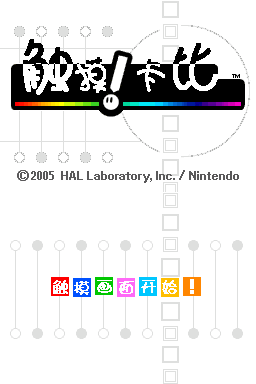
Kirby: Canvas Curse, also called Touch! Kirby, is the series' first Nintendo DS title from HAL Laboratory. A wicked witch paints Dream Land into a canvas and turns Kirby into a round ball. Instead of controlling Kirby directly, you wield the stylus as a magic brush to guide him. This Chinese patch by Toad and Water Sprite keeps the text polished for a smooth read. It turns the handheld's stylus into the star of the show.
Core Gameplay
The game drops the d-pad entirely for pure touch: you draw Rainbow Lines on the lower screen, and Kirby rolls, climbs, speeds up, or loops along them. Tap Kirby to dash into enemies; tap a foe to stun it. Collecting paint extends your line budget. Stages are built around drawing paths to progress, testing spatial sense and planning, the ultimate showcase of DS touch play. Every stage plays differently depending on how you draw.
Touch-Only Design and Copy Powers
Unlike traditional side-scrolling Kirby, this entry replaces walking with drawn tracks, the series' most experimental take. Yet it keeps the signature copy ability: smashing certain enemies transforms Kirby into Fire, Wheel, or Stone forms with distinct puzzle and attack options. The hand-drawn art is bright and charming, and the level design is clever. For painting your way through Kirby, this is a unique DS must-play.
Game Tips
- The first DS Kirby and an experimental HAL Laboratory take.
- Pure touch control: draw rainbow lines to guide Kirby.
- Tap Kirby to dash, tap foes to stun, intuitively.
- Copy ability remains: Fire, Wheel, Stone transformations.
- A paint system extends your lines for planned drawing.
- Hand-drawn art style, bright and charming in color.
- Toad and Water Sprite Chinese patch with fine text.
Frequently Asked Questions
The game writes to cartridge backup at stage select or checkpoints as a single file. It prompts to save between chapters; emulators can use states. Save every few stages to avoid loss.
The main run is about 5 to 8 hours, short but challenge-heavy. Collecting all paint, top ranks, and secrets reaches roughly 15 hours of score grinding.
Use only the stylus to draw tracks and tap on the lower screen; the d-pad is nearly useless. Once you think in path drawing, it feels great and shows off the DS touch.
Toad and Water Sprite's text is high quality. This is a track-drawing experiment; Squeak Squad is a traditional side-scroller with inhale-copy and touch star toss, a different route entirely.
Smashing a powered enemy auto-transforms Kirby into that form. New players should ration paint, draw tracks sparingly, and tap to dash through weak foes instead of only drawing.